Send Airtime to Ghana from the USA or UK: Pay with USDT, No Card Needed
Airtime to a Ghanaian number from the US or UK usually dies at the card step.
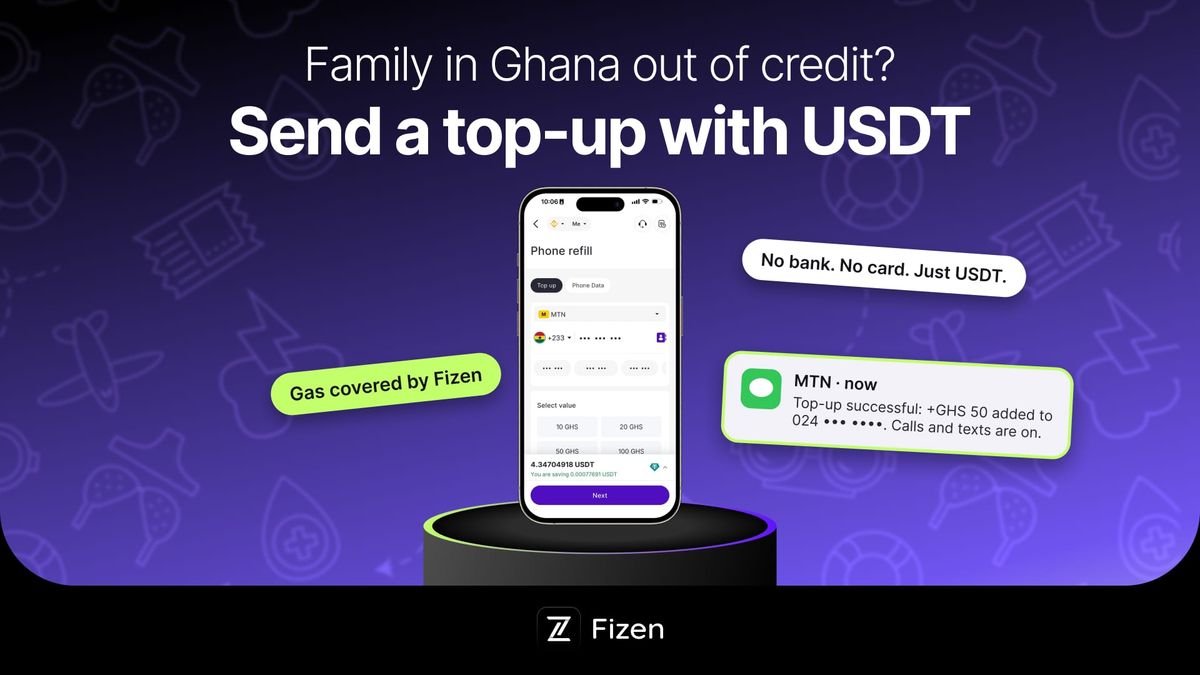
Quick answer: To send airtime to Ghana from the US or UK, use the Fizen app: open Phone & Data, enter the number, pick the network and amount, and pay with USDT. No bank or card needed.
Key takeaways
- Prepaid only. Fizen tops up prepaid numbers in 92 countries, not postpaid lines.
- USDT only. You need USDT on BNB Chain, and Fizen covers the gas.
- Anyone's number. You can top up any prepaid MTN, Telecel or AirtelTigo line.
- No card. No bank account, card or carrier account is required.
You open a top-up site, the US card is declined, and the bank app shows a foreign transaction fee before you have even sent anything.
Why do US and UK cards get declined on Ghana airtime sites?
Your card is declined because foreign cards often fail on Ghana airtime sites, not because of your balance.
- US and UK banks flag cross-border airtime purchases as high-risk. The merchant is abroad, the amount is small, and the pattern looks unusual. Many banks block the charge automatically.
- Ghana airtime sites charge in USD and convert to GHS at a live rate. That conversion happens on their side, and your bank may add a foreign transaction fee on top. The final cedi amount is not what you see at checkout.
- When the cedi swings, the USD price you pay can move between the moment you check and the moment you pay. Your card issuer may decline the charge if the converted amount differs from the authorisation.
If you are a Ghanaian in the US, UK or Europe trying to top up an MTN, Telecel or AirtelTigo number, you have probably seen the message: "Your card was declined." It is not your balance. It is the card.
How do I send airtime to an MTN, Telecel or AirtelTigo number in Ghana from the Fizen app?
Open Phone & Data in the Fizen app, enter the Ghana number, pick the network and amount, and pay with USDT.
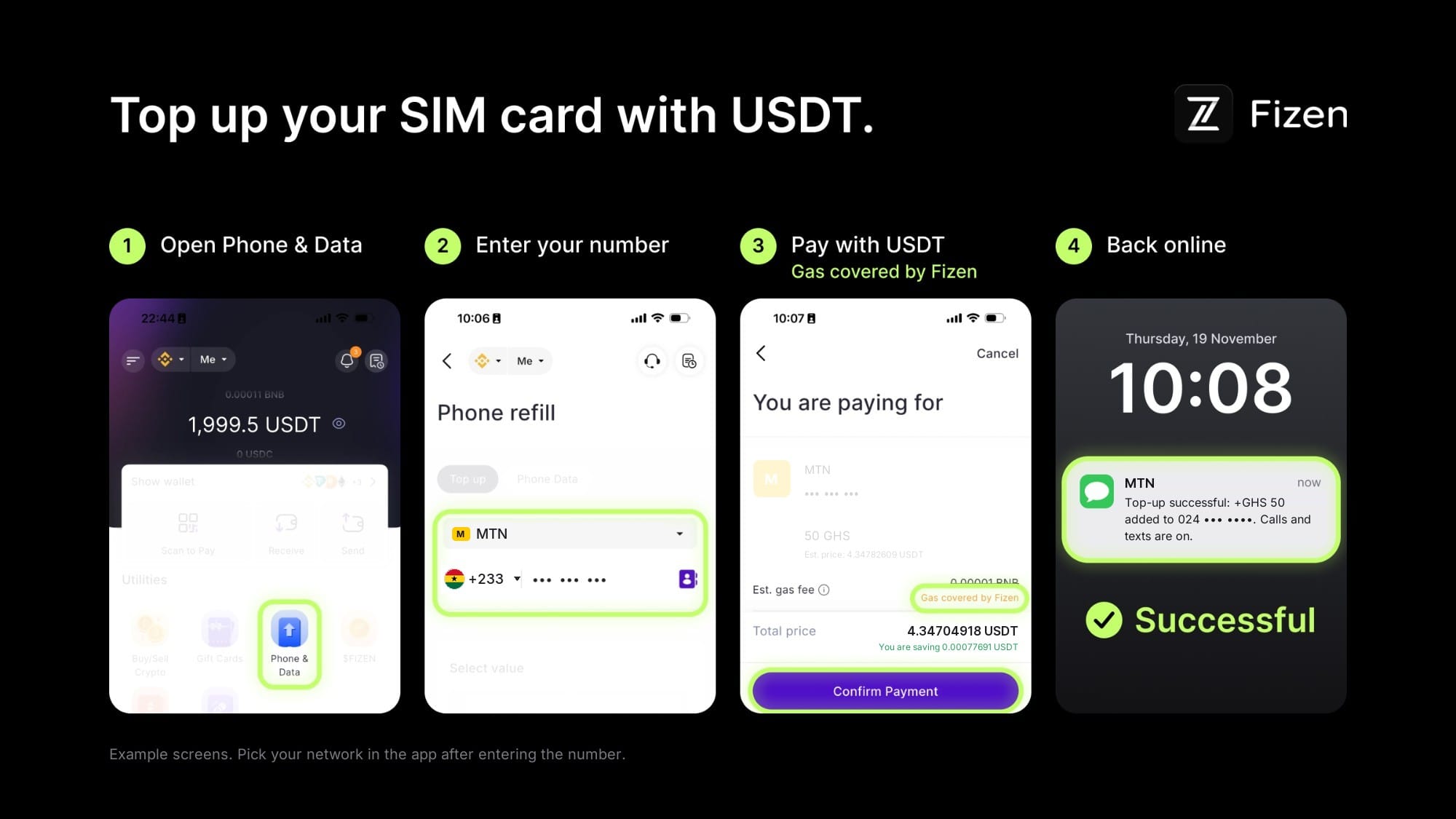
- Open the Fizen app and tap Phone & Data on the home screen.
- Choose Ghana, enter the recipient's number, and pick the network shown.
- Choose the amount and pay with USDT on BNB Chain. The gas fee is covered by Fizen.
- The credit lands on the number automatically and the carrier sends an SMS.


What does the recipient actually get, and how fast does the credit land?
The credit lands automatically and the carrier sends an SMS, and the full amount you send arrives with no Ghana-side fee.
| What you send | What the recipient gets | When |
|---|---|---|
| USDT amount confirmed at checkout | Airtime credit on the MTN, Telecel or AirtelTigo number | Automatically after payment |
| No card, no bank | No need for the recipient to have a smartphone or the app | Carrier sends an SMS confirmation |
Can I top up a number that is not mine, and does the person in Ghana need the app?
Yes, you can top up any prepaid Ghana number, and the person in Ghana does not need the app.
What are the limits: prepaid only, which networks, which countries?
Phone & Data tops up prepaid numbers only, and the app shows the networks after you enter the number.
- Open Phone & Data on the Fizen home screen.
- Choose the country and enter the Ghanaian number.
- Pick the network shown for that number and choose the amount.
- Pay with USDT on BNB Chain. The USDT amount is shown before you pay.
When is a scratch card or the carrier's own app the better option?
A scratch card or the carrier app works only when someone is physically in Ghana near a working kiosk.
Frequently asked questions
Can I send airtime to a Ghana number without a credit card?
Yes. Fizen tops up prepaid numbers and you pay with USDT on BNB Chain.
Does the person in Ghana need the Fizen app?
No. They do not install anything and do not need an account.
Can I top up MTN, Telecel and AirtelTigo numbers?
The networks available for a Ghana number appear in the app once you enter the number and pick the country. Fizen does not publish a fixed network list, so check on the screen before you pay.
Can I top up a postpaid number in Ghana?
No. Phone & Data handles prepaid numbers only.
How fast does the airtime arrive?
Fizen does not promise a delivery time beyond that, so send it before the family actually runs out.
Send airtime to Ghana with USDT
Open Phone & Data, pick Ghana, enter the number and pay with USDT. No card, no bank. Your money. Your freedom. No borders. New users also get a US$10 eSIM gift in the eSIM tab.
Terms and conditions
- Information only. This article explains how mobile top-ups work and is not financial, tax or legal advice. Carrier rules and network availability can change.
- For readers in the United States. This information is for general information only, is not an offer or sale of any product or security, and is not advice. Fizen is not offered to US Persons.
- Prepaid numbers. Fizen Phone & Data supports prepaid mobile numbers only. Postpaid lines are not supported. The networks shown in the app after you enter the number are the ones available for that top-up.
- Amounts. The USDT amount is shown before you pay. Fizen does not publish a fee or exchange rate in advance. The BNB Chain gas fee for the top-up is covered by Fizen.
Sources
Facts in this article were checked on 20 November 2026.